Responsibilities
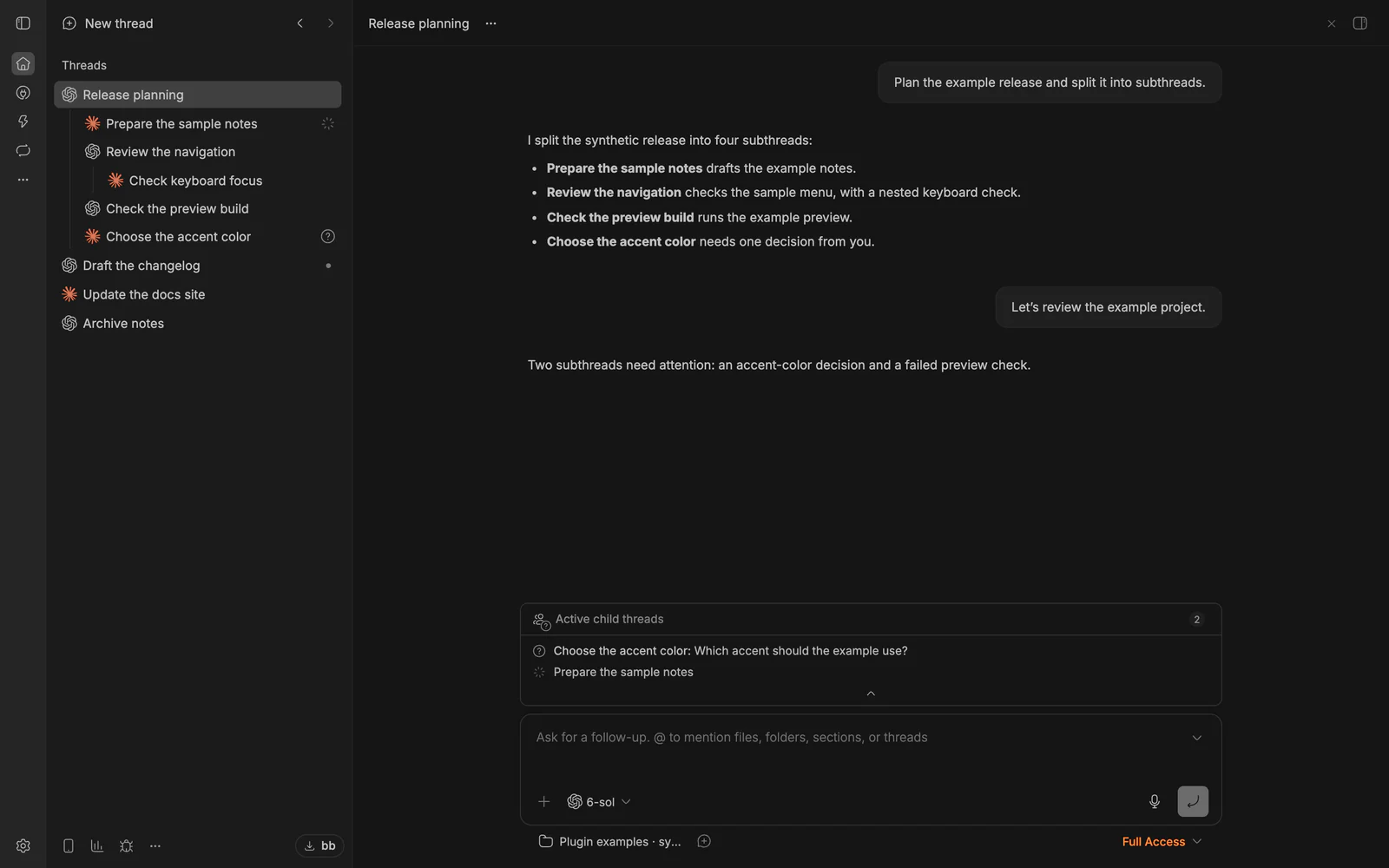
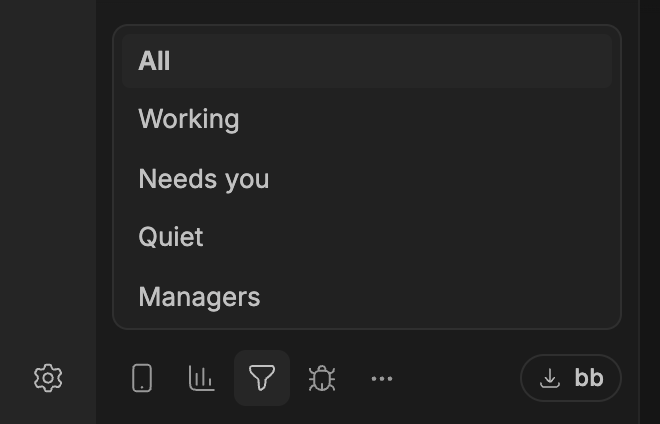
See which threads need you, across managers and their subthreads.
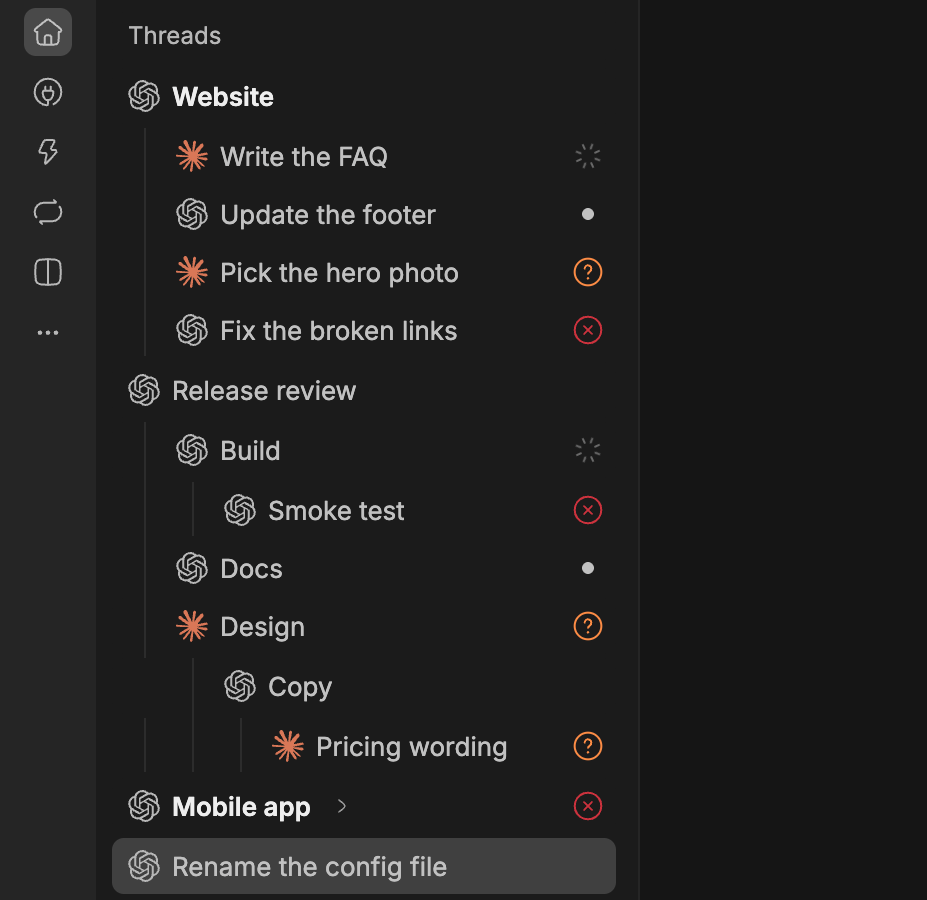
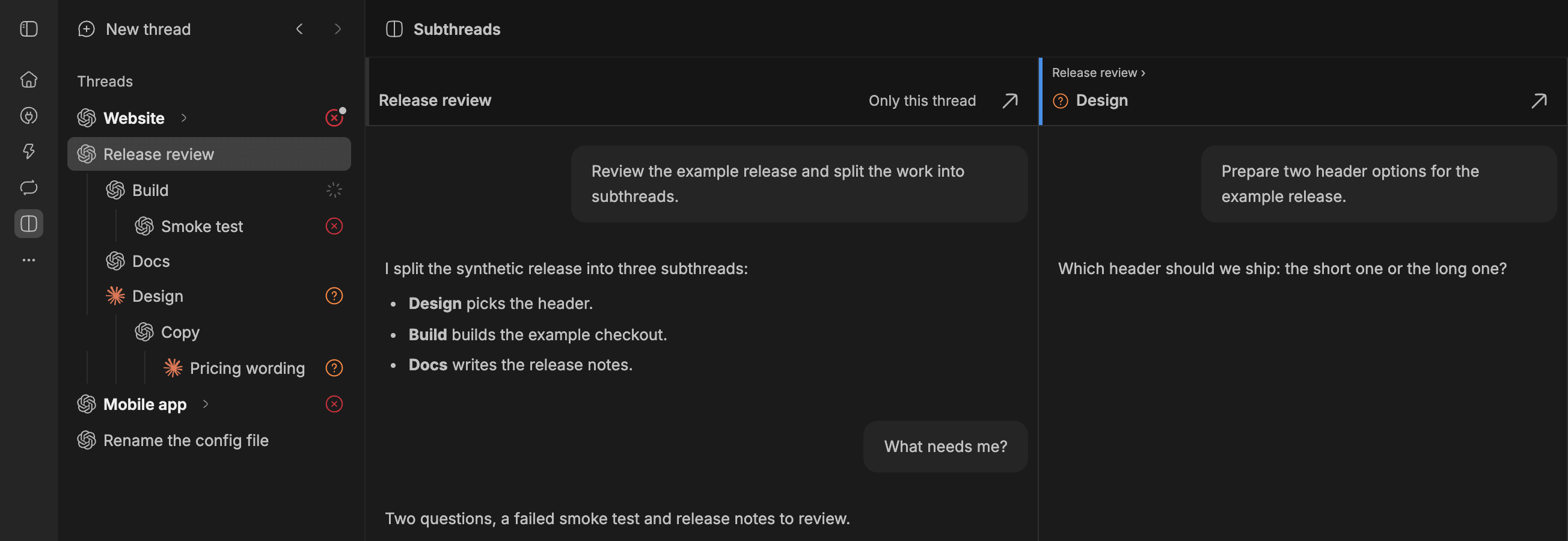
I keep a few threads as permanent managers, one per area, like this site or a product. A manager keeps its area’s context and doesn’t do the work itself: it starts an ordinary subthread for each task, checks what comes back and archives the subthread when the task is done. Those roles and rules are my own setup on top of BB. The plugin doesn’t install or run them.
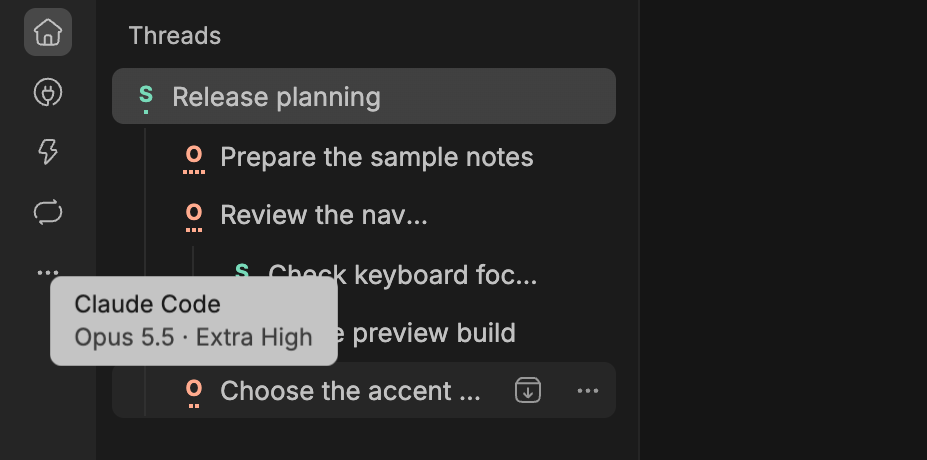
Responsibilities shows where that tree needs you. A red ✕ means a thread failed, an amber ? that it waits for your answer or approval, and a dot that it has a result you haven’t seen, in subthreads too. A collapsed parent shows the failures and dots below it, plus counts of descendants working, waiting or failed. Put your managers’ thread IDs in a JSON file to make them bold and give them a filter; Needs you keeps only the marked threads and their parents. New child thread starts a subthread under any thread, with Full Access preselected, so check the mode before you send. Records stay in local SQLite, with no telemetry.
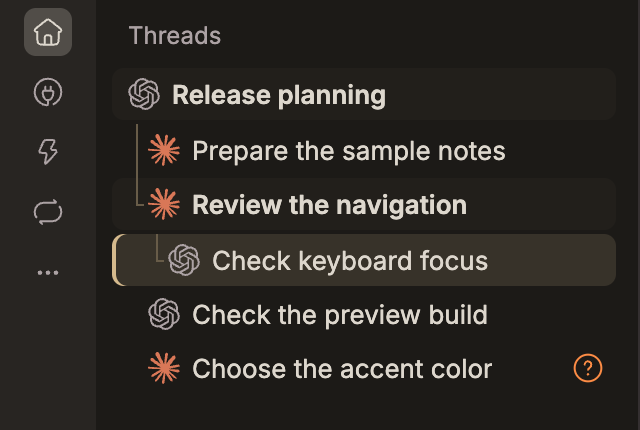
Turn on Compact warm theme in the plugin settings for warmer colors, tighter rows and nesting, and guides along the selected or hovered branch. Row actions appear over the title when you need them, leaving more room for its name. The theme is off by default; turning it off restores your BB theme while keeping the marks and filters. Touch screens keep larger row targets.
- Version
- 0.2.3
- Install
- From BB’s catalog
- Needs
- BB 0.47.1 or later