
0.14.1Latest
Shared projects reach AI Usage in BB.
- The BB plugin brings 0.14.0’s shared projects with bb plugin update, and Homebrew installs this release as before. Nothing else changed since 0.14.0.
 ai-usage
See how much of your Claude Code, Codex, and Grok quota is left, on your Mac and on every machine your team runs, and whether it lasts until the reset.
curl -fsSL https:/macOS and Linux. On macOS 14+ it adds the menu bar app too. Or install with Homebrew, or from BB’s plugin catalog.
Works withClaude CodeCodexGrokHermes
The problem
Claude Code and Codex each have their own 5-hour and weekly limits, and Grok its own credits for the period. Each shows only its own, only while you’re in it.
The week runs out in the middle of a task. Nothing told you that at this pace it would end days before the reset.
Shared logins, build servers, bots in containers. Nobody sees which subscriptions you have, how full they are, who is burning them, and which sit idle.
ai-usage puts every subscription on one page, with a forecast to the reset.
Menu bar
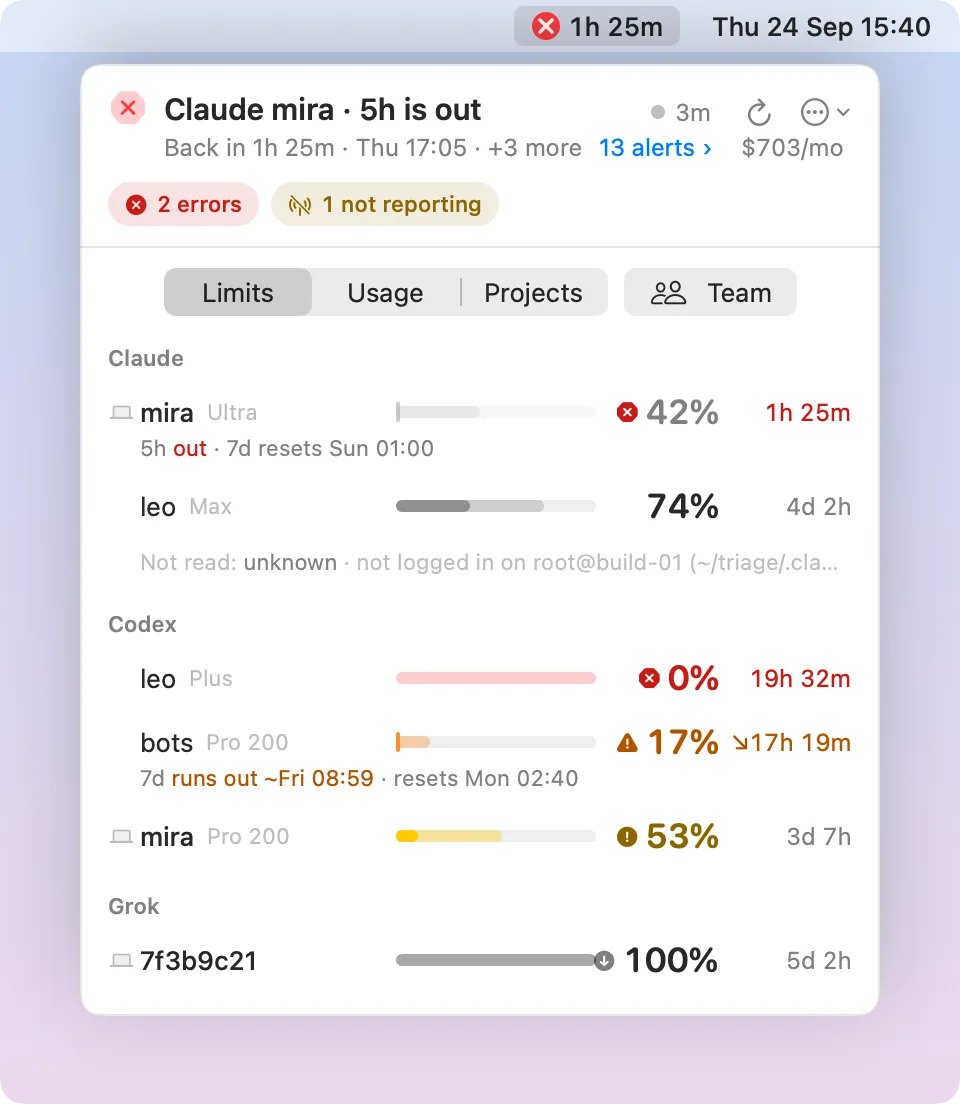
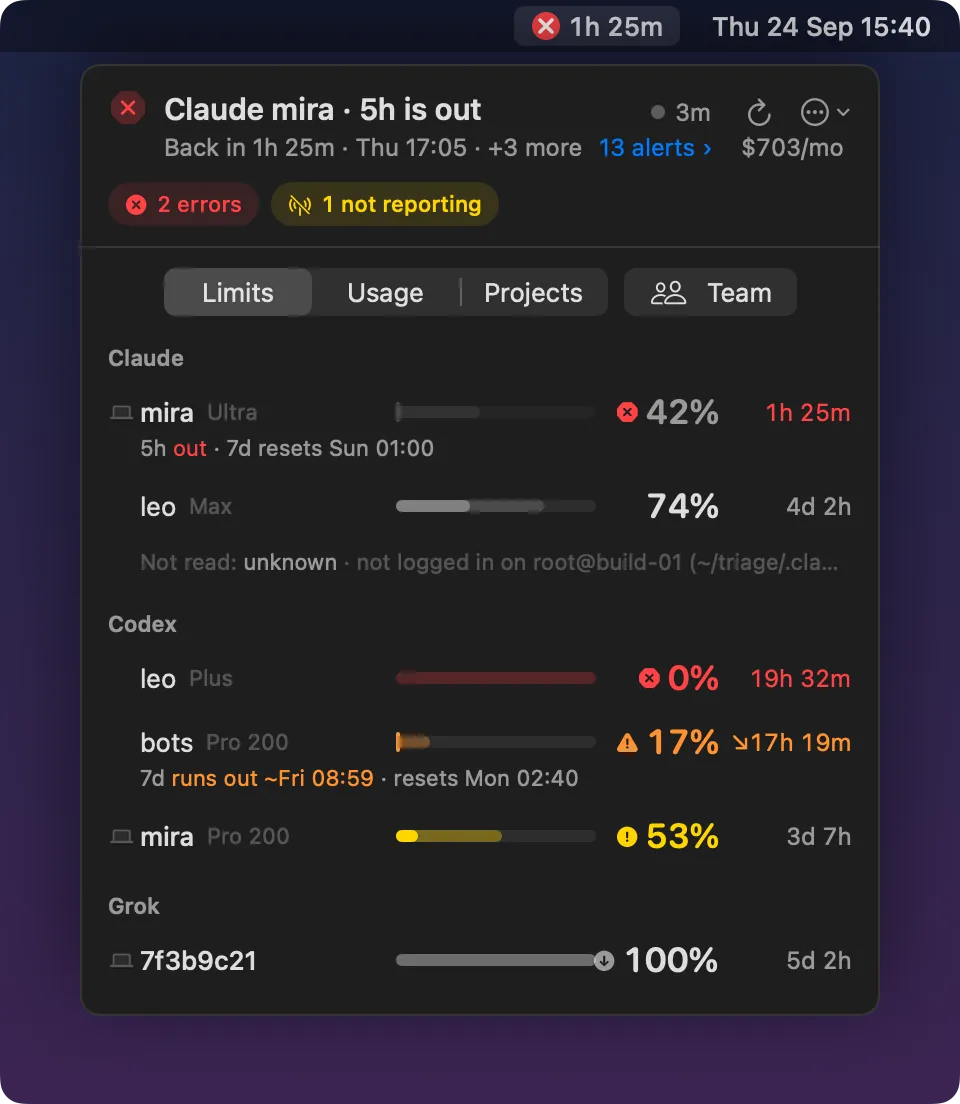
On a Mac, the same installer adds AI Usage to your menu bar; after Homebrew, ai-usage app install does. Its ring shows what’s left of your tightest limit. It turns orange when that limit will run out before its reset, and red, with a countdown, when it’s out. Show the percent left, the time to the reset, or just the ring.
macOS 14 or later · Apple silicon and Intel · starts at login · updates with ai-usage


Details
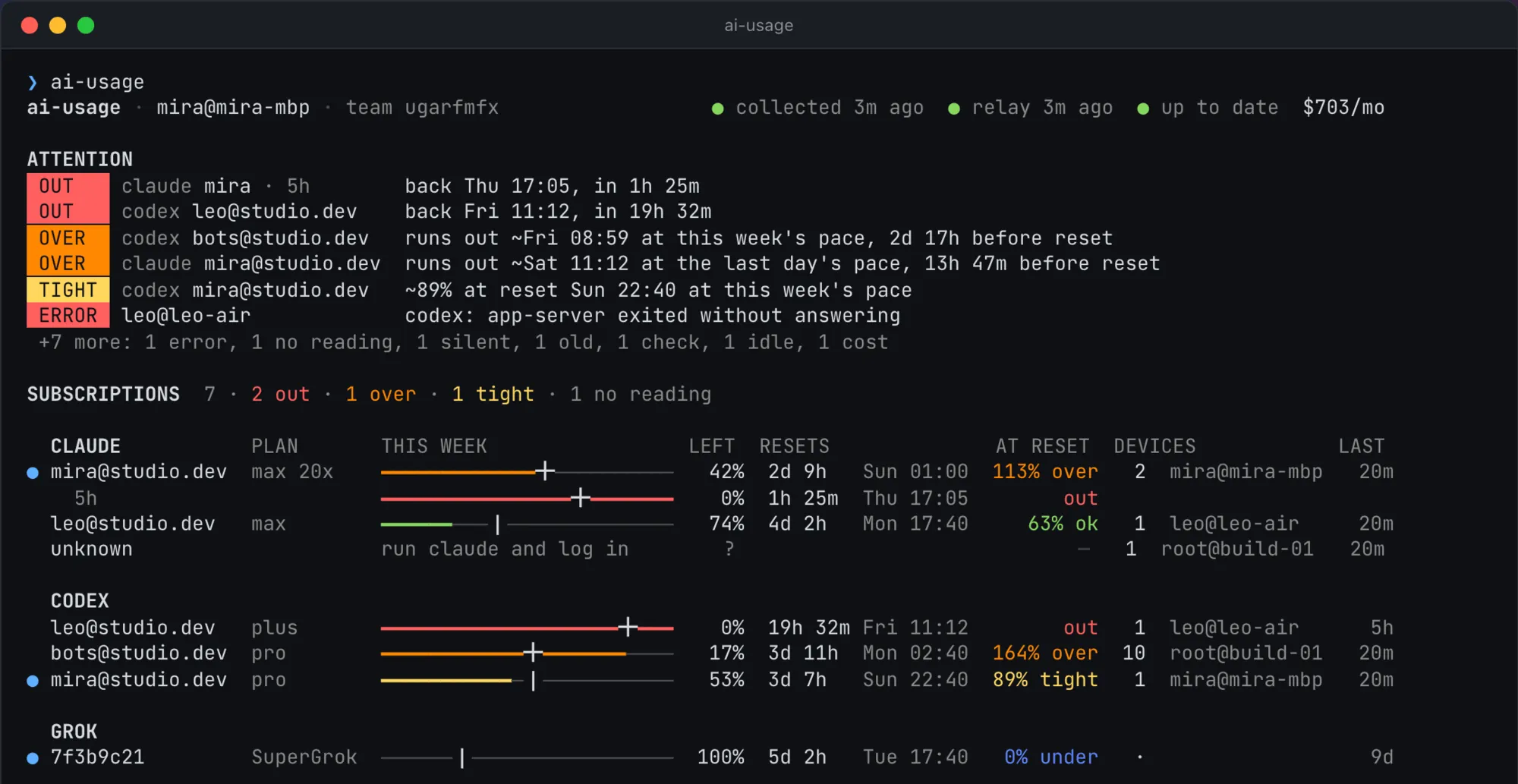
The first line says what matters right now: what’s out and when it’s back, what runs out and when, or where you have the most room. Below it, every Claude, Codex, and Grok subscription your team has, grouped by tool, worst first, with this Mac’s own marked.
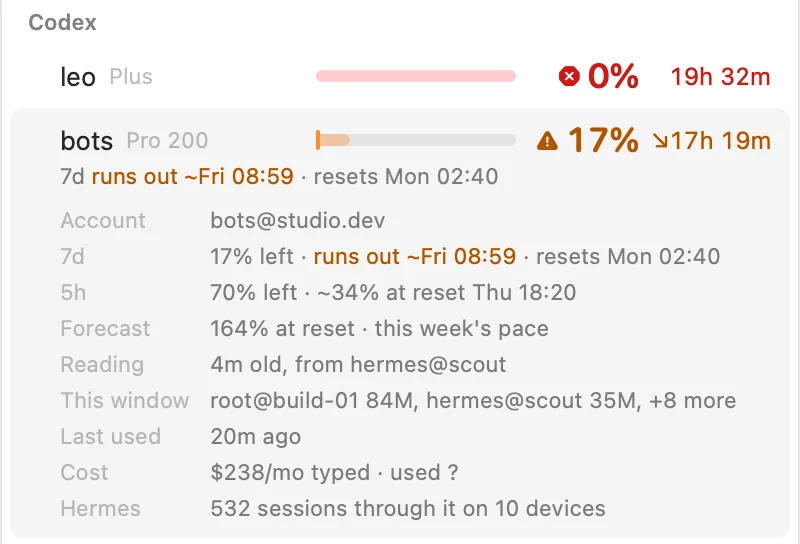
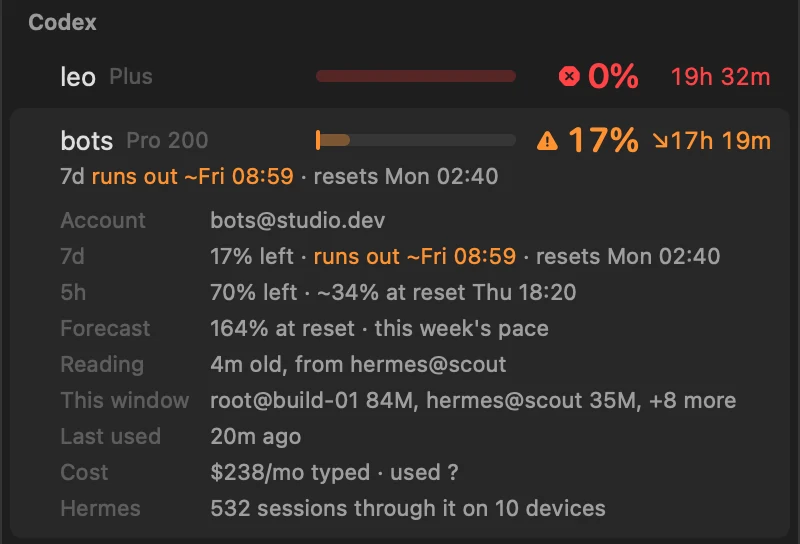
Click a subscription for the whole story: a countdown to the moment it runs out, each window, the forecast, which machines spent it, and when it was last used.
Forecasts
“42% left” means little without the clock. ai-usage works out how full each limit will be at its reset at your pace, and says it plainly. The 5-hour and per-model limits show up too, when they’re the tighter one.
It takes the faster of this week’s pace and the last day’s, so a week that speeds up shows early. In a weekly limit it measures the pace over a day at least, and shows no forecast in the week’s first day unless the window is already over, so one busy morning doesn’t cry wolf. Forecasts are estimates and sharpen as the week goes on.
Attention
When something is wrong, it’s in one short list, in plain words, in the menu bar app and at the top of the terminal report. Everything else stays quiet. Click an alert to open it.
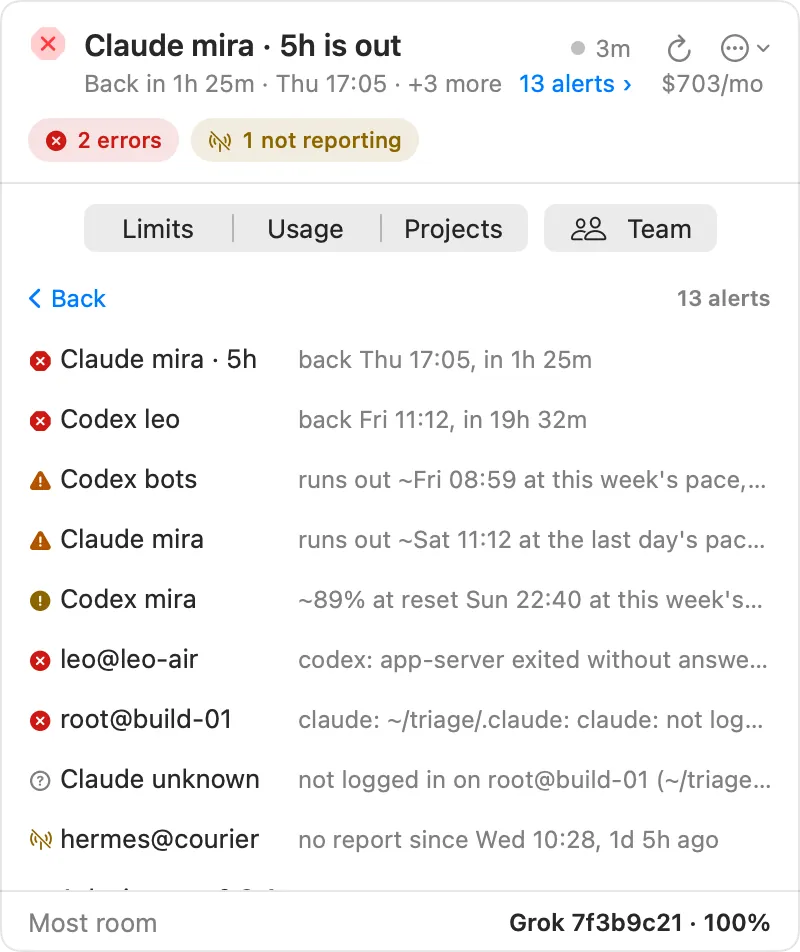
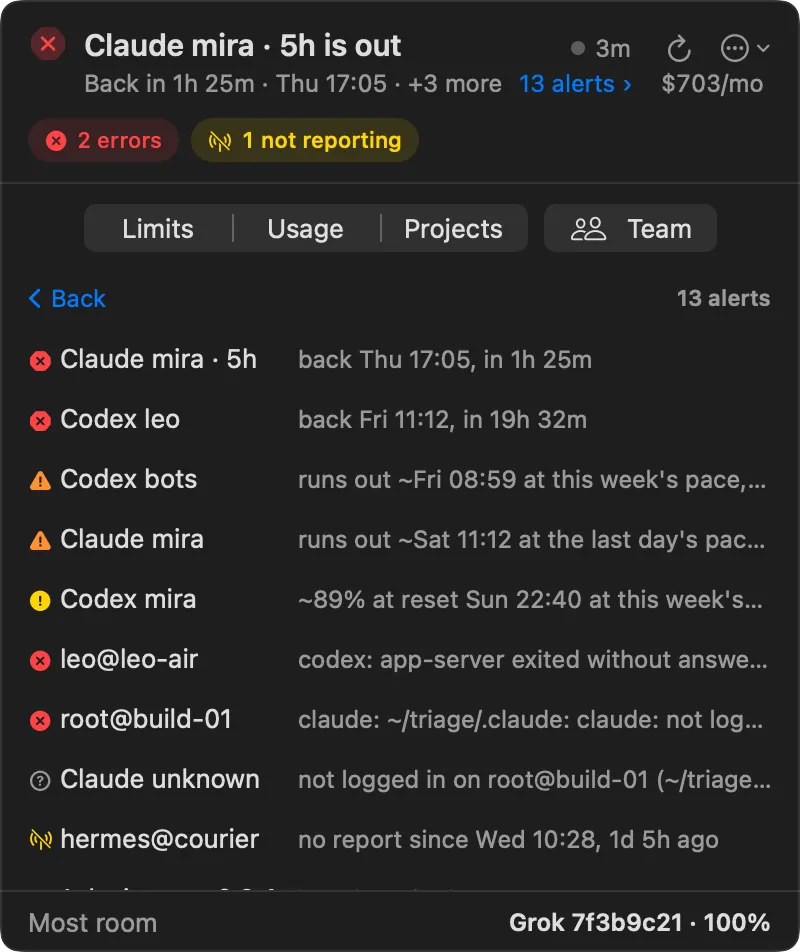
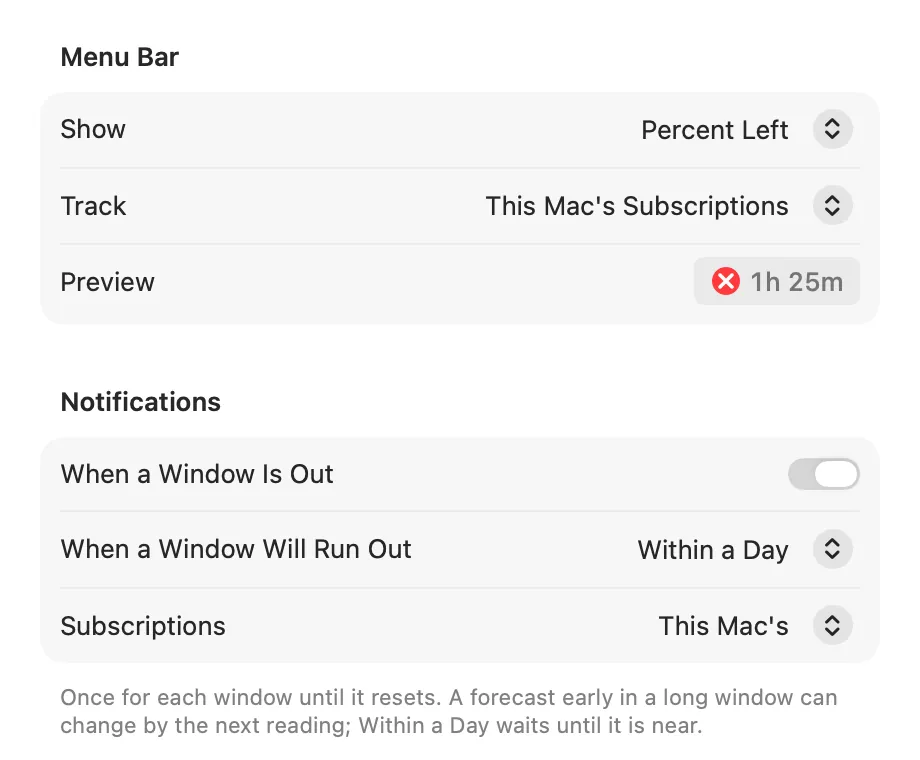
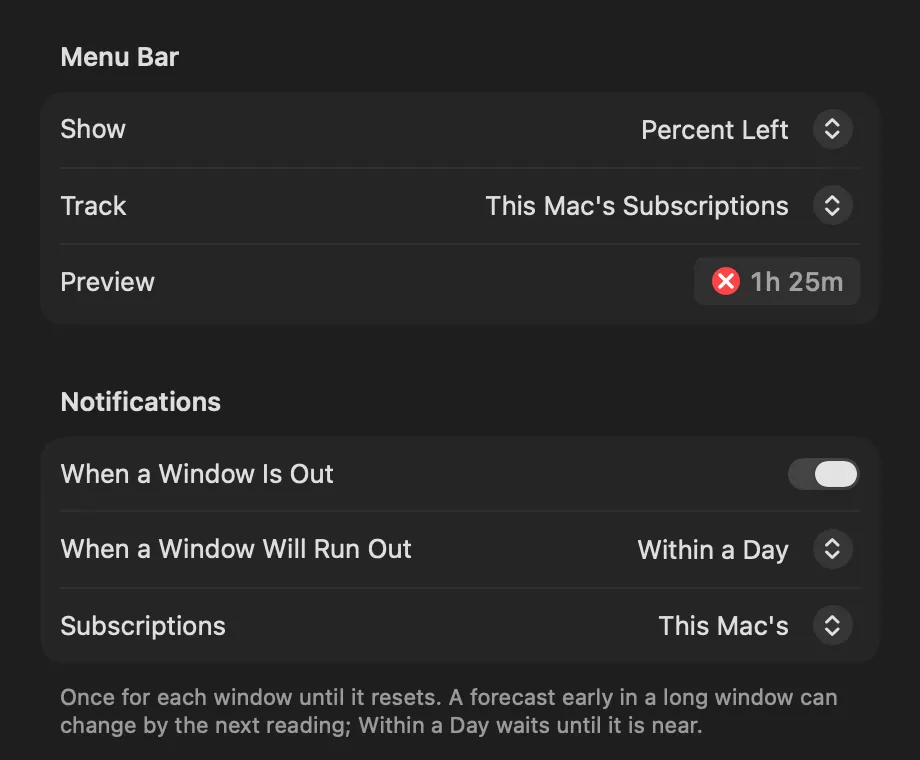
The menu bar app sends a notification when a limit is out, or will run out before its reset: once per limit until it resets, no spam. Choose when (within a day of running out, any time, or never) and whose (this Mac’s subscriptions or the whole team’s).
Notifications come from the menu bar app while it runs. The terminal tool notifies no one, and there are no Slack or email alerts.
Devices × subscriptions
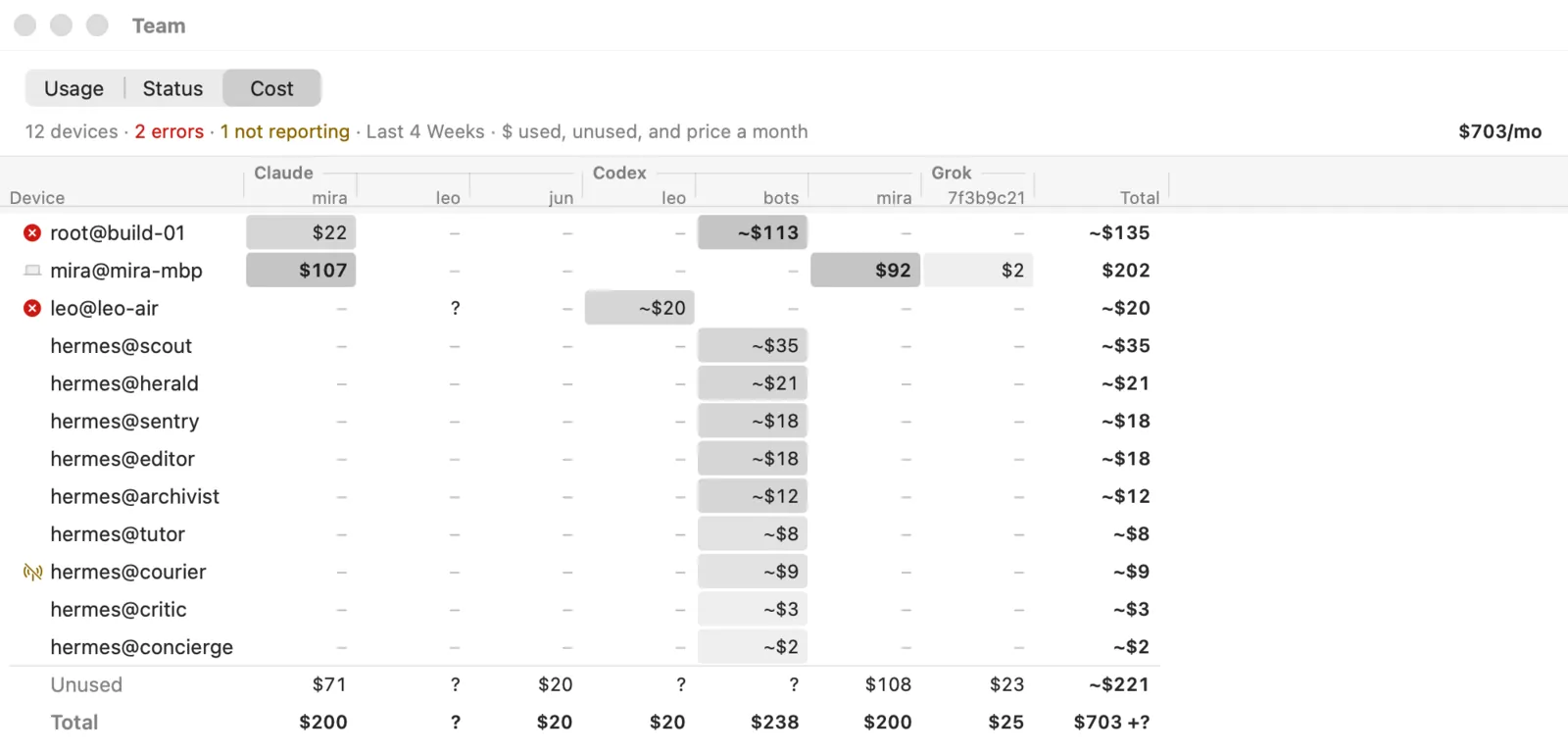
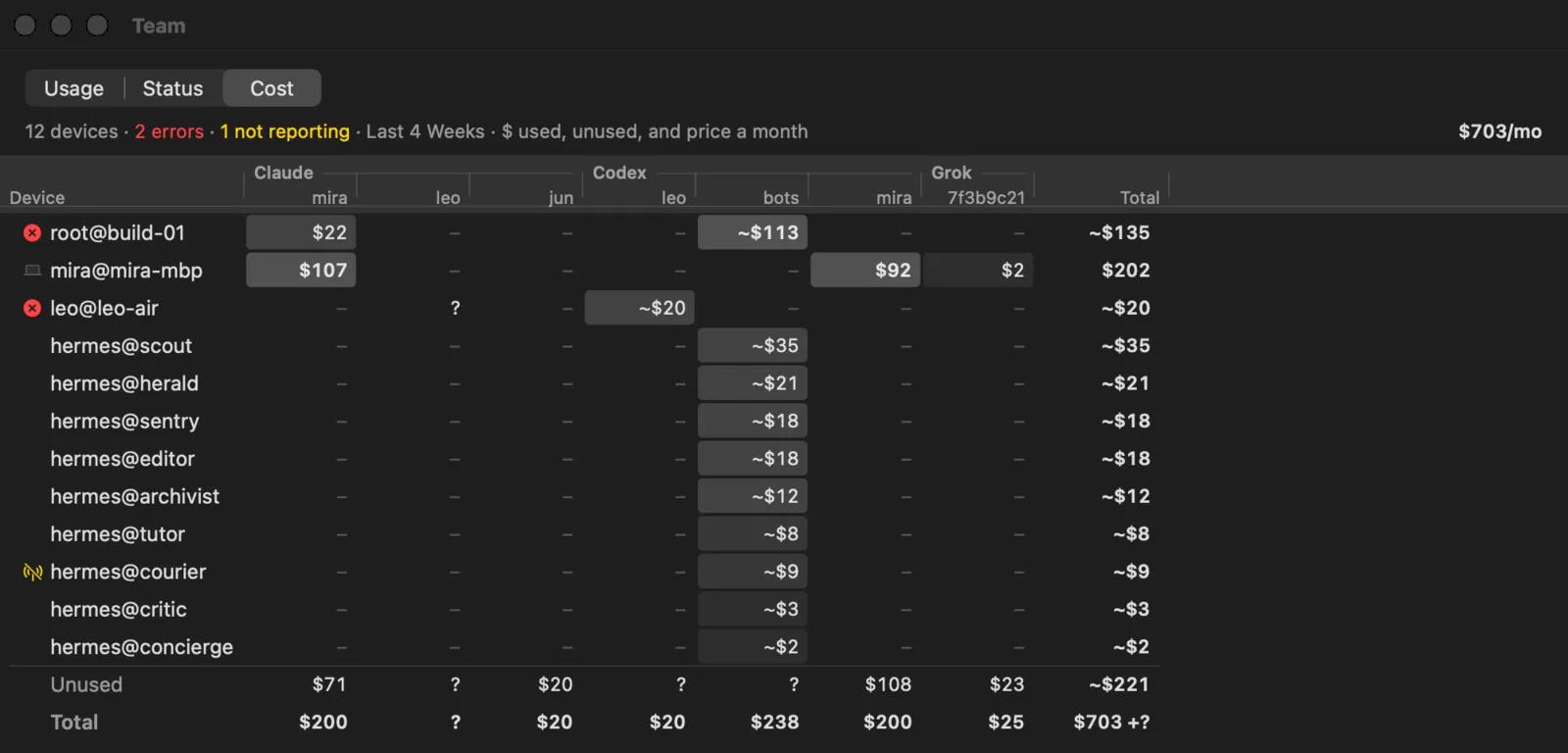
Install ai-usage on every laptop, server, and container, join them with your team key, and each of them sees all of them: every machine against every subscription, shaded by how much each one uses. Each goes by its user at its name, as mira@mira-mbp or hermes@scout, so a laptop and every bot on a shared server read as who they are. Spot the bot that eats the shared login, and the plan nobody touches.
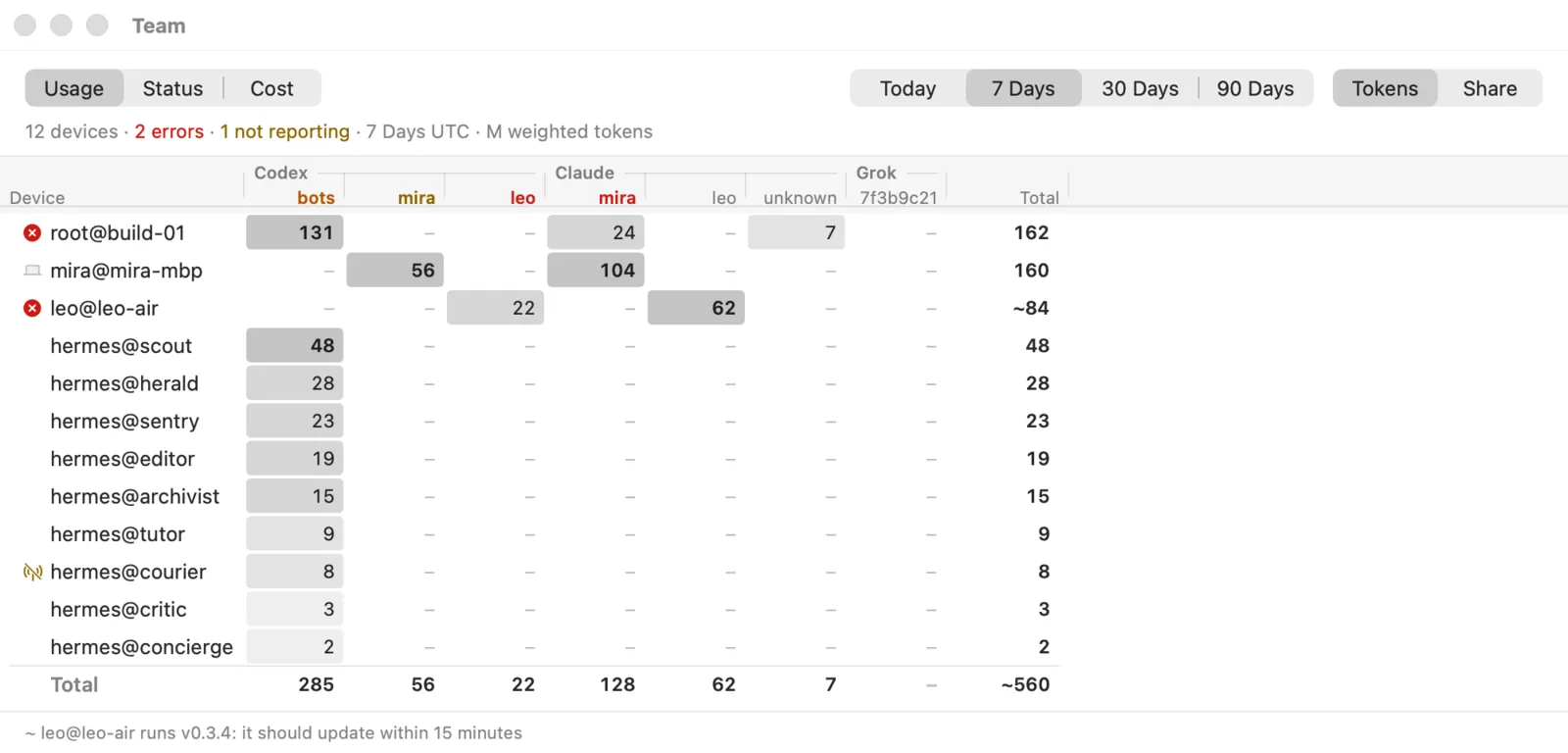
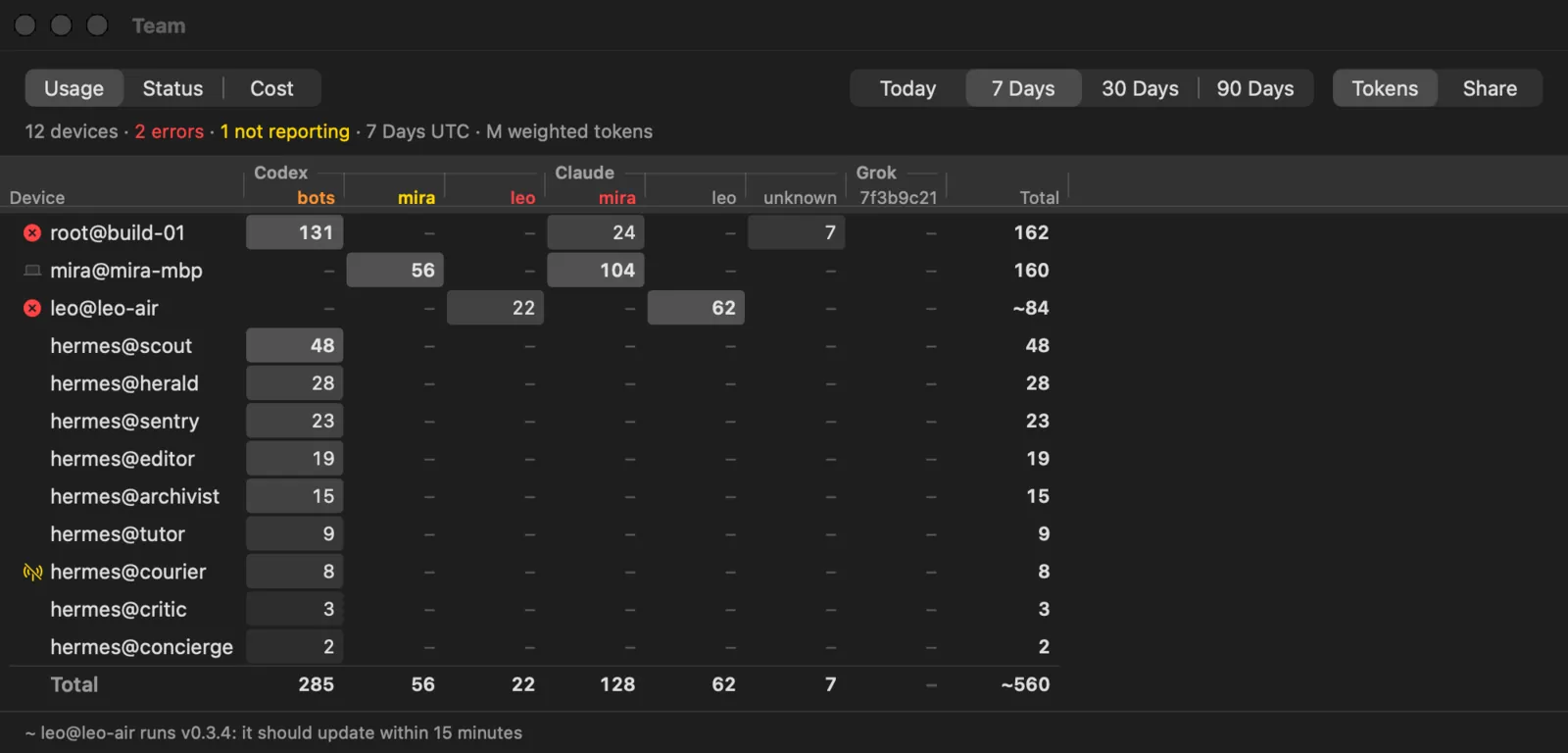
Each machine’s share of each subscription, adding up to 100%, for today, 7, 30, or 90 days, or in dollars.
Switch to Status for each machine’s release, last report, and what’s wrong: a tool that fails, an update, or silence.
Tokens per git repository, worktrees included, and what the team spent in the ones you share. A project only you work in stays on your machine.
Point the menu bar ring at the team’s subscriptions instead of just this Mac’s. Up to 50 machines per team.
$ ai-usage
No Mac? Prefer the keyboard? Type ai-usage on any Mac or Linux machine and the whole report opens as a page you can scroll: what needs attention at the top, then every subscription with its forecast, what each one costs, every machine, and your projects. When a subscription has no reading, it says why and what to do, such as update codex, whichever machine on the team the problem is on.
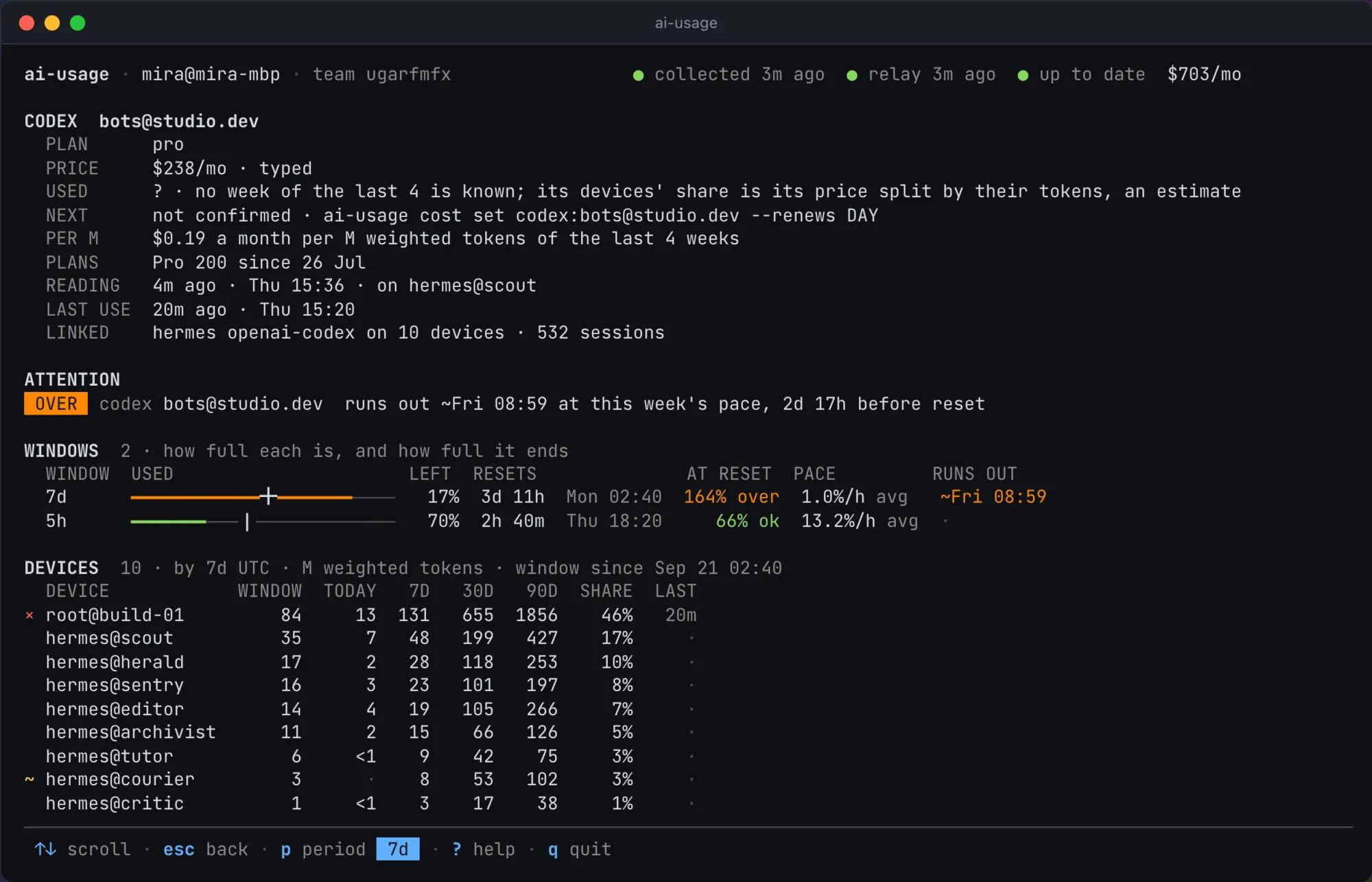
Pick any account or machine on the page and open it: each window with its forecast, pace, and when it runs out, how full it got before its last resets, every machine that spent it with its share, and a machine’s errors in full. Esc goes back.
In BB
AI Usage is also a plugin for BB: the team report on a page of its own, with the same attention, subscriptions, forecasts, cost and its questions, devices × subscriptions, and devices, and a Team usage card in the sidebar. It is in BB’s plugin catalog: in BB, open Plugins, search for AI Usage, and click Install. On a Mac or Linux machine that runs BB as a person and has no ai-usage, it installs ai-usage once; a machine that already has it is used as it is.
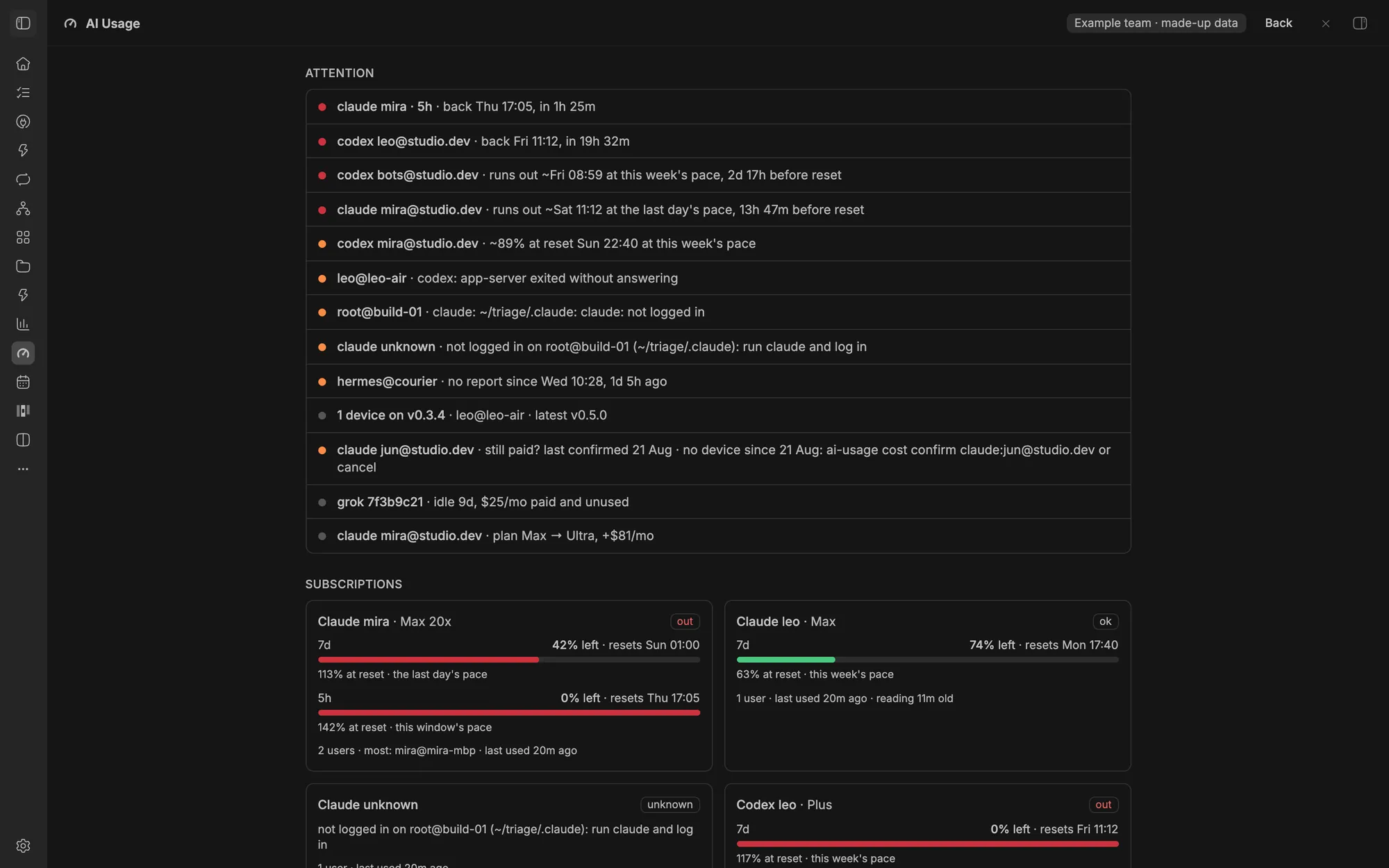
ai-usage --json prints the whole report with a versioned schema, so a script or an agent can pick the account with room.
❯ ai-usage --json | jq -c '.team.providers[]
    | .provider as $p | .accounts[]
    | select(.subscription) | {$p, name, state}'
{"p":"claude","name":"mira","state":"out"}
{"p":"claude","name":"leo","state":"ok"}
{"p":"claude","name":"unknown","state":"unknown"}
{"p":"codex","name":"leo","state":"out"}
{"p":"codex","name":"bots","state":"over"}
{"p":"codex","name":"mira","state":"tight"}
{"p":"grok","name":"7f3b9c21","state":"under"}Runs on Linux (amd64 and arm64), scheduled by cron, or inside a container next to your bots.
#!/bin/sh
# Collect usage beside the main process once ai-usage is installed.
if [ -x /home/app/.local/bin/ai-usage ]; then
  /home/app/.local/bin/ai-usage schedule run &
fi
exec "$@"Cost
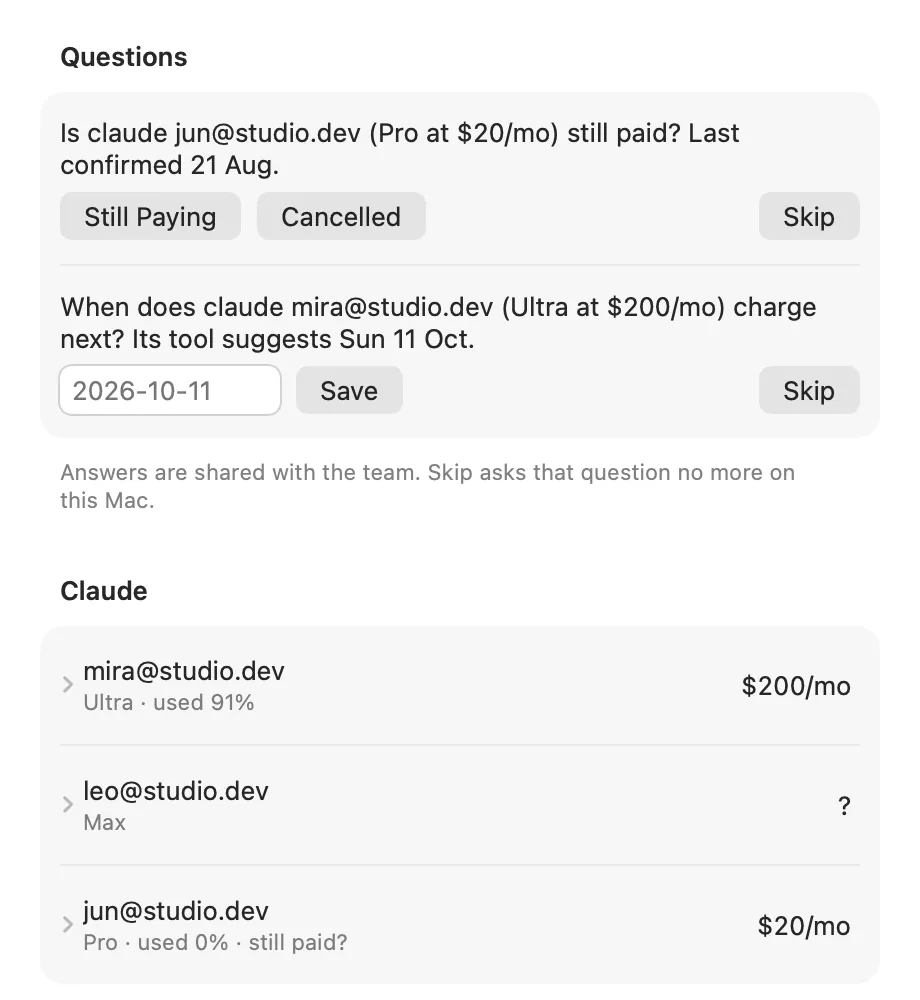
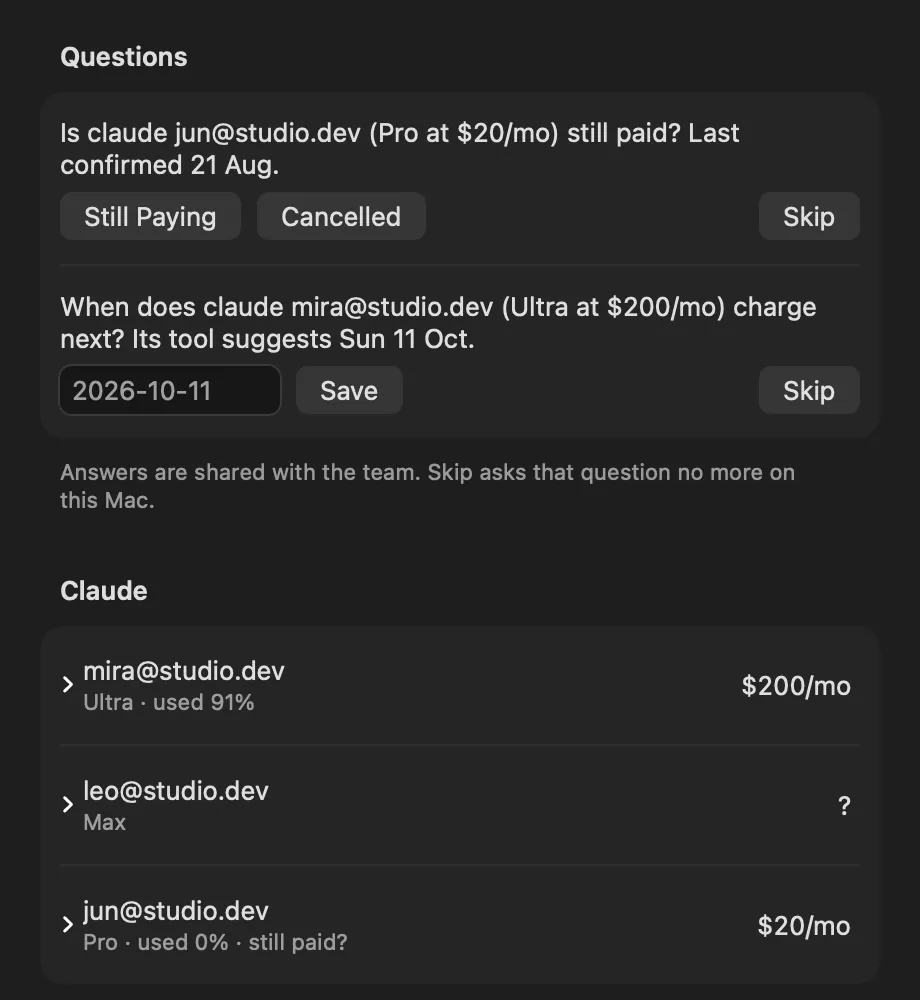
COST says what each Claude, Codex, and Grok subscription costs a month, how much of it the team used over the last 4 weeks, and when it charges next. It marks the one nobody uses, asks about the one nobody can say is still paid, and says when a plan changed and what that costs. A budget, not accounting.
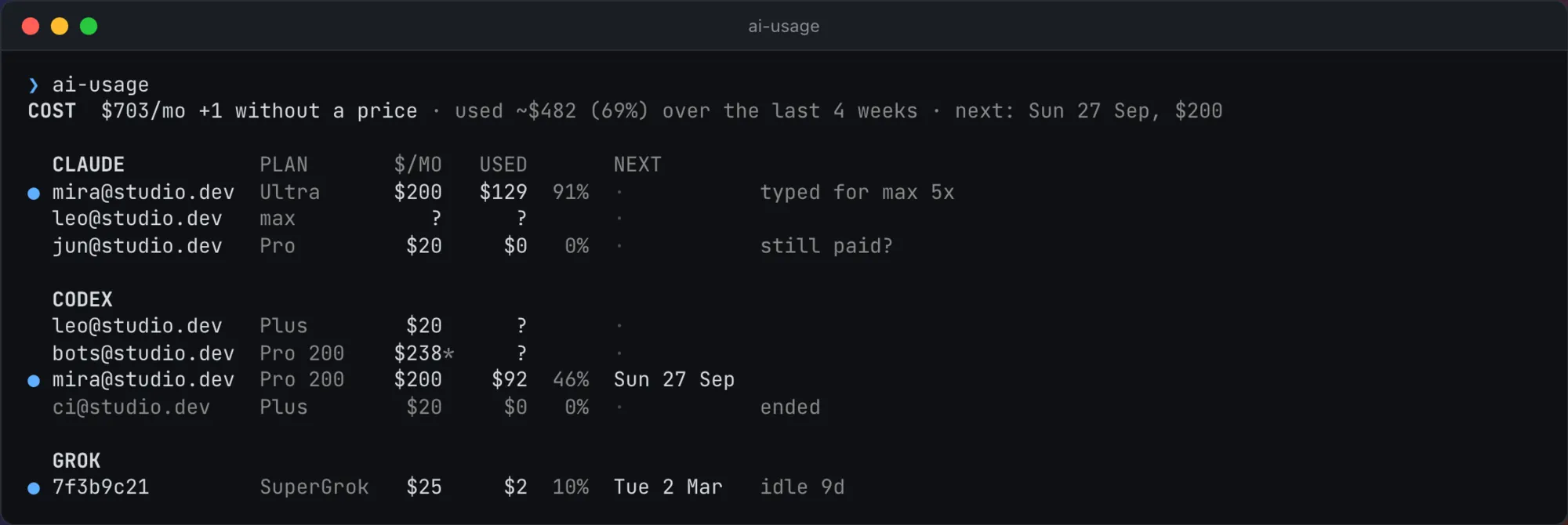
Press $ in the terminal, or open Cost in the Team window: each machine against each subscription, in what it used over the last 4 weeks, what nobody used, and each price, so every column adds up to it. Hermes bots count against the login they bill through.
When a subscription charges next, its price when the list has none, and whether one nobody can confirm is still paid. The terminal asks one question at a time, the Mac app asks in a notification and in Settings, and the BB plugin on its page. Skip any of them, or turn them off. Answers are shared with the team, sealed with its key.
The Mac app shows the team’s total in its header, a cost line in each subscription’s details, and tells you before a charge.
Prices are US list prices in USD, without tax. Team, business, and enterprise plans have no list price until you type one.
Utilization
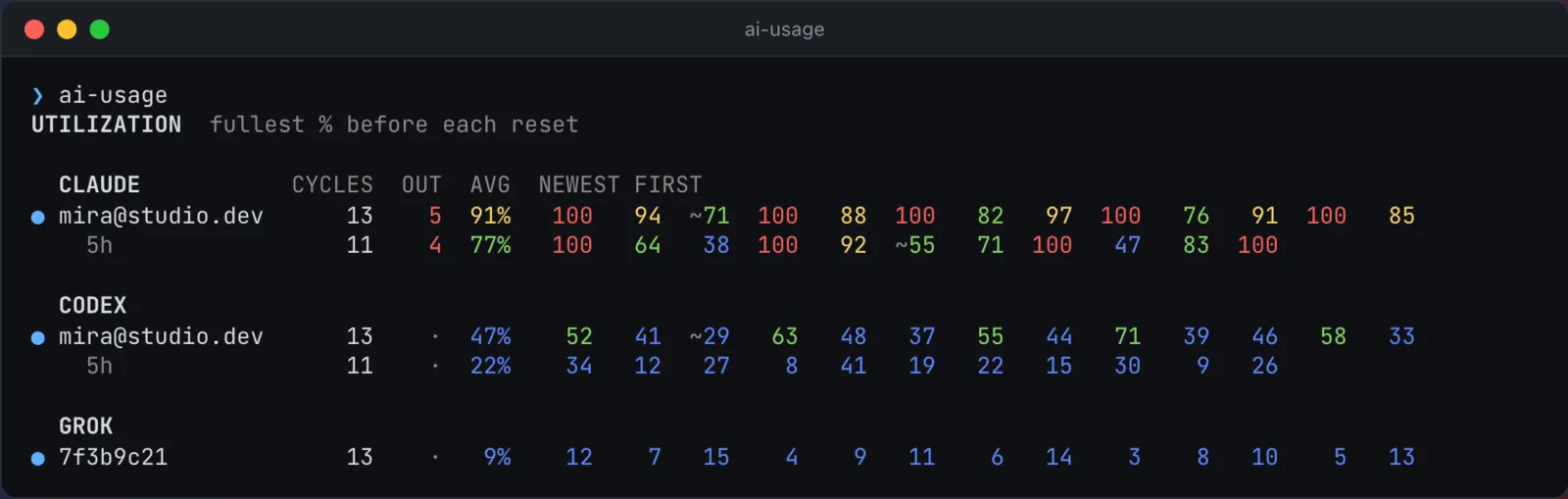
ai-usage remembers how full each subscription got before every reset, for up to 90 days, across the team. Here Claude’s week ran out 5 times in the last 13, while Codex never got past 71%.
Tools
Plus agent sessions in the Claude desktop app. Reading its limits needs Claude Code 2.1.208 or later.
From its CLI, the ChatGPT app on macOS, or the VS Code, Cursor, and Windsurf extensions.
From its own log: who’s signed in and the period’s usage.
Bots counted against the login they bill through.
Relay
ai-usage reads what your tools already save on disk, and asks the installed tools for their limits the way their own usage screens do. It never calls Anthropic, OpenAI, or xAI itself, never reads your passwords or keys, and asking for usage spends none of your quota.
Every install, even a team of one, sends a small signed snapshot to a relay every 15 minutes: by default the free one the project runs, or your own. Names, emails, and errors are sealed with your team key first. Once a day it also asks the relay for its price list, which sends nothing of the team.
From 0.14.0 a project reaches only the machines that work in the same git repository: it goes without its path, sealed with a key made of the team key and the repository’s address, and a project only you work in stays on your machine. A teammate who guesses the address of your repository, such as a public one, could read your use of it.
From 0.13.0 ai-usage also sends its author usage stats, through PostHog and never through the relay: how often it runs, which commands are used, and what fails, with a random install id. Nothing goes before you have seen the notice, and ai-usage telemetry off stops them.
Each machine, every 15 min
Your prompts, replies, code, file contents, and logins stay here.
Sees
Cannot read
Every snapshot is signed, so the relay can’t forge or alter one without your team noticing.
Every machine in the team
Opens the sealed names with the team key, and a project only where it works in the same repository. Shows everyone: who is out, who runs out next, on which machine.
How privacy worksRun your own relayRelay protocolUsage stats
Install
No account, no config file. Each machine collects every 15 minutes on its own, and an installer copy updates itself within about 15 minutes of each release.
Your first report prints right away, with a short guide under it. On macOS 14 or later, AI Usage appears in the menu bar and starts at login.
curl -fsSL https:/In a new terminal, or with the full path the installer printed. Treat the key like a password: anyone with it can read your team’s numbers, and it can’t be revoked.
ai-usage team keyOn each teammate’s laptop, server, or container, install with the line from step 1, then run this and paste the key. It stays out of shell history. Scripted installs can pass it as AI_USAGE_TEAM_KEY=… sh instead. After a Homebrew install, run this, then ai-usage to start collecting.
ai-usage team joinirm https:/ai-usage to start collecting. On macOS 14 or later, ai-usage app install adds the menu bar app. A Homebrew copy updates with brew upgrade or ai-usage update, not by itself.brew install neoromantic/bb plugin update ai-usage.bb plugin install ai-usageai-usage app install. There’s no separate download. Signed with Developer ID and notarized by Apple.Releases
One-line installs from 0.2.5 on update themselves within about 15 minutes of a release, so this is most likely what you’re running. A Homebrew install updates when you run brew upgrade or ai-usage update.
Yes. ai-usage is open source under the MIT license, with no account and no sign-up. The relay the project runs is free too, or you can run your own.
No. It reads what your tools already write on disk and asks them for their own usage numbers. Asking Claude Code spends no tokens. ai-usage never reads your logins; Claude Code may renew its own expired login while answering, as any Claude Code session would.
It reads your tools’ session logs on your machine only to count tokens; prompts, replies, code, and file contents are never kept or sent. Only counts, percentages, reset times, and tool and plan names go to the relay in the clear; names, emails, and errors are sealed with your team key, and a project reaches only the machines that work in the same git repository.
Claude Code (and agent sessions in the Claude desktop app), Codex (its CLI, the ChatGPT app on macOS, and the VS Code, Cursor, and Windsurf extensions), Grok, and Hermes bots, which count against the login they bill through.
No. The terminal report runs on macOS and Linux, including servers and containers. The menu bar app and its notifications need macOS 14 or later. Windows 11 ARM64 has been checked with Claude Code and Codex.
Yes. From 0.8.1, the menu bar app and the macOS binaries are signed with Developer ID and notarized by Apple, so macOS opens the app with no warning.
They’re estimates from your own pace. Early in a long window they can change from one reading to the next. Old readings are marked as old, and Claude’s limits are refreshed only for folders used in the last hour, so use from claude.ai on the web shows up only after you next use Claude Code on a machine with ai-usage.
Yes, from 0.10.0: what each subscription costs a month, how much of it the team used over the last 4 weeks, and which machine used it. It is a budget, not accounting: prices are the providers’ US list prices in USD without tax, until you type what you pay. Team, business, and enterprise plans have no list price. Weighted tokens stay a measure of how hard a subscription is worked, not a bill.
Not yet. Notifications come from the Mac menu bar app.
Start a new team and give its key to the people who stay. A team key can’t be revoked.
Yes, from 0.8.0, on macOS and Linux: brew install neoromantic/tap/ai-usage, then ai-usage, which starts the 15-minute schedule. On macOS 14 or later, ai-usage app install adds the menu bar app. Type the full name, neoromantic/tap/ai-usage, in every brew command.
Yes, from 0.12.0, as a plugin in BB’s plugin catalog: in BB, open Plugins, search for AI Usage, and click Install, or run bb plugin install ai-usage. It shows the team report on a page and installs ai-usage on a Mac or Linux machine that has none. BB’s Cursor, OpenCode, and Pi agents are not counted, and the plugin sends no notifications; the menu bar app does. Removing the plugin leaves ai-usage collecting: Remove ai-usage in its Settings, or ai-usage uninstall, takes it off. More under In BB in the README.
Not for the one-line installer: every install from 0.2.5 on moves to a new release within about 15 minutes; each download is checksum-verified and test-run before it replaces the old one. A Homebrew install never replaces itself: it updates when you run brew upgrade neoromantic/tap/ai-usage or ai-usage update.
Run ai-usage uninstall. It removes the schedule, the Mac app, and the binary, and keeps the team key and history for a later install. Add --forget to drop the machine from its team, or --purge to also delete its data. With Homebrew, run brew uninstall neoromantic/tap/ai-usage after it. More under Uninstall in the README.
One line to install. Every subscription, every machine, one page.
curl -fsSL https:/Version 0.14.1 · MIT · macOS and Linux